Starlink has undeniably revolutionized satellite internet, bringing high-speed connectivity to places traditional broadband simply can’t reach. But like any groundbreaking technology, it comes with its own set of trade-offs. If you’re weighing your options and wondering if this LEO (low Earth orbit) internet service from SpaceX is the right fit for your home or business, understanding the Comprehensive Pros and Cons of Starlink is essential. Let’s dive deep into what makes Starlink shine and where it might fall short, giving you the full picture for an informed decision.
At a Glance: Starlink Essentials
- What it is: Satellite internet from SpaceX, using a constellation of satellites orbiting approximately 550 kilometers above Earth.
- Target User: Best for rural households, remote workers, and travelers without access to fiber or reliable cable internet.
- Typical Speeds: 50-250 Mbps downloads (peaks up to 300 Mbps), 15-30 Mbps uploads.
- Latency: Around 30 ms, significantly lower than traditional satellite internet.
- Setup: Easy, app-guided process, but requires careful dish placement.
- Cost: Higher upfront equipment cost, around $110/month for service.
- Key Consideration: Excellent for downloads, but upload speeds can be a bottleneck for professionals.
Starlink's Promise: Redefining Connectivity for the Underserved
For decades, reliable, high-speed internet remained a distant dream for many in rural and remote communities. Traditional satellite internet, while offering coverage, often suffered from high latency and inconsistent speeds, making activities like online gaming or video calls frustrating. Starlink entered the scene to change this narrative.
By deploying thousands of small satellites into low Earth orbit (LEO), Starlink aims to blanket the globe with broadband access. These satellites, much closer to Earth than their geostationary counterparts, dramatically reduce the signal travel time, translating into significantly lower latency. The goal? To deliver an internet experience that feels more akin to fiber or cable, even when you're miles from the nearest town.
The Good News: Starlink's Clear Advantages
When you look at Starlink through the lens of its primary mission – bringing robust internet to underserved areas – its benefits quickly become apparent.
Blazing Fast Downloads (Especially for Satellite)
Let's be clear: Starlink isn't going to outpace a top-tier fiber connection in a major city. But compared to what many rural users have been stuck with – often single-digit Mbps DSL or sluggish traditional satellite – Starlink is a revelation. You can expect download speeds generally ranging from 50 Mbps up to 250 Mbps, with occasional peaks near 300 Mbps.
What does this mean in practical terms? It means smooth 4K streaming on multiple devices, rapid game downloads, and responsive web browsing. For families, gamers, or anyone who consumes a lot of online content, these speeds are a massive upgrade.
Latency That Changes the Game
This is where Starlink truly distinguishes itself from older satellite internet services. Because its satellites orbit much closer to Earth (around 550 kilometers), the signal doesn't have to travel nearly as far. The result? Latency averages around 30 ms.
Why does latency matter? High latency creates a noticeable delay between when you send a command (like clicking a link or moving in a game) and when the server responds. With Starlink's low latency, online gaming becomes viable, video calls are significantly clearer and less prone to stutter, and general web interactions feel snappy and immediate. It bridges a crucial performance gap that traditional satellite internet simply couldn't.
Easy, App-Guided Setup
One of Starlink's underrated strengths is its user-friendly installation process. Once your equipment arrives, setting it up is largely a plug-and-play experience guided by the intuitive Starlink app. You unbox the dish (affectionately known as "Dishy"), place it in an open area, and connect it to the included router.
The app is crucial for identifying potential obstructions (like trees or buildings) that could block the satellite signal. It provides a real-time view of the sky, helping you find the optimal mounting location for uninterrupted service. While you'll still need to secure the dish, the app takes much of the guesswork out of initial placement and orientation.
Bringing Broadband to the Boonies
This is Starlink's core mission, and it executes it remarkably well. For homes and businesses located far from urban centers, where laying fiber optic cable is prohibitively expensive or geographically challenging, Starlink offers a lifeline. It provides a viable, high-speed alternative in areas that often have limited or no other options for modern internet access.
This isn't just about convenience; it's about economic opportunity, educational access, and staying connected to the world, regardless of your postcode. Remote workers, in particular, find Starlink indispensable for maintaining productivity outside metropolitan hubs.
Flexibility with Your Wi-Fi Router
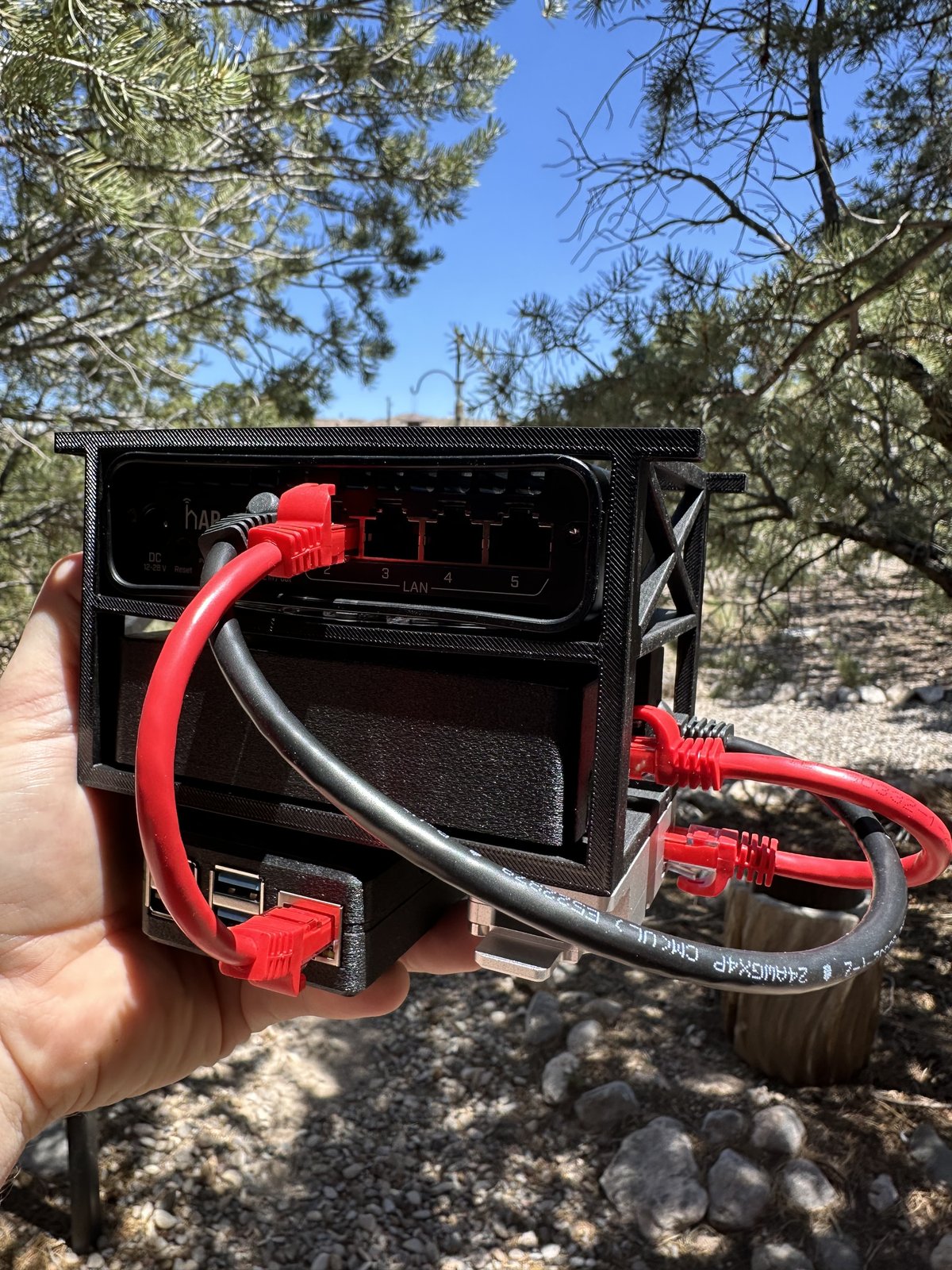
Starlink includes a Gen 3 Wi-Fi 6 router, which is capable of covering up to 3,000 square feet. For many users, this built-in solution is perfectly adequate. However, for larger homes, those with dense construction materials, or users who simply demand more robust and customizable Wi-Fi, there’s good news: you can bypass the Starlink router.
This flexibility allows you to connect a third-party, higher-performance router (like a premium Wi-Fi 7 model) directly to the Starlink dish. This setup can significantly improve your home's Wi-Fi coverage, reduce interference, and offer advanced networking features that the standard Starlink router might lack. It ensures you’re not locked into a single ecosystem for your home network.
The Reality Check: Starlink's Drawbacks
No service is perfect, and Starlink, despite its innovations, has its share of limitations and considerations. Understanding these can help manage expectations and determine if its benefits outweigh its challenges for your specific situation.
The Upload Speed Caveat
While Starlink's download speeds are generally excellent, its upload speeds tell a different story. Typically ranging from 15 Mbps to 30 Mbps, they are sufficient for standard use like video conferencing, sending emails, and light social media posting. However, for professionals who frequently upload large files – think photographers, videographers, CAD designers, or cloud backup users – these speeds can feel limiting.
If your workflow heavily relies on pushing substantial data to the cloud, you might find yourself waiting longer than desired. It's often advisable to schedule large file transfers during off-peak hours when network congestion might be lower, though this isn't always a perfect solution.
The Dish Dilemma: Careful Mounting Required
The Starlink dish needs a clear, unobstructed view of the sky to function optimally. This isn't just a recommendation; it's a hard requirement. Any obstructions – a tall tree branch, a chimney, even a portion of your roof – can lead to signal drops, buffering, and inconsistent performance.
This often means mounting the dish in a high location, such as near the roofline, to get the best signal. While the Starlink app helps you identify potential obstructions, the actual physical installation can be more involved than simply plugging it in. Ground-level placement is generally not recommended for long-term, stable performance, meaning you might need to invest in a pole mount or professional installation.
Navigating Occasional Network Outages
Despite its advanced technology, Starlink is not immune to network disruptions. Users on platforms like Reddit, DownDetector, and Twitter occasionally report global or localized outages. While not frequent enough to be a deal-breaker for most, these outages can be impactful if your internet connection is critical for work or essential services.
It's a prudent strategy to have a backup internet option, especially if you rely on Starlink for mission-critical tasks. A mobile hotspot, whether through your smartphone or a dedicated device, can serve as a valuable safety net during these rare but possible service interruptions.
The Price Tag: Equipment & Monthly Fees
Starlink represents a significant investment. The upfront equipment cost for the dish, router, and necessary cables can be substantial. While the exact price can vary by region and promotions, it's generally a few hundred dollars. This is a one-time cost, but it's much higher than the setup fees for many traditional internet services.
Beyond the initial outlay, there's the ongoing monthly service fee. At around $110 (this can vary, always check the official site for current pricing), it's competitive with some rural broadband options but generally higher than typical fiber or cable plans in urban areas. For some, the cost is justified by the performance gains and access where there was none; for others, it's a factor to weigh carefully against their budget and alternatives.
Weather Woes (Minor, but Present)
Starlink’s performance is remarkably stable across most weather conditions thanks to its phased-array antenna technology and the LEO constellation. However, heavy storms, particularly those with dense rain or snow, can temporarily impact speeds. Satellite signals can attenuate (weaken) when passing through extremely dense precipitation.
While most users report that performance recovers quickly once severe weather passes, it's something to be aware of. You might experience a brief dip in speed or an occasional micro-disconnection during the worst of a blizzard or a torrential downpour. For the vast majority of day-to-day weather, Starlink holds up well.
Is Starlink Right for You? A Decision Guide
Understanding the pros and cons is one thing, but knowing how they apply to your specific situation is another. Let's break down who benefits most from Starlink and who might be better served by other options.
Who Benefits Most from Starlink?
- Rural Households Without Alternatives: If you live in an area where fiber, reliable cable, or high-speed DSL simply isn't available, or if your current options are painfully slow, Starlink is often a game-changer.
- Remote Workers & Home-Based Businesses: For those who need consistent, low-latency connectivity for video calls, cloud applications, and general productivity, Starlink offers the speed and responsiveness required to work effectively from almost anywhere.
- Families & Gamers in Underserved Areas: The robust download speeds and low latency make 4K streaming, online gaming, and multi-device households a reality in locations where they previously weren't.
- Travelers & RV Owners (with the Roam/Mobility Plans): Starlink offers portable options that allow users to take their internet with them, providing high-speed access even in remote camping spots or while on the move.
- Those Prioritizing Download Speed over Upload Speed: If your primary internet use involves consuming content – streaming, downloading, browsing – Starlink excels in delivering that experience.
Who Might Want to Look Elsewhere?
- City & Suburban Dwellers with Fiber/Cable Access: If you have access to fiber or high-speed cable services, these options typically offer higher speeds (especially uploads), more consistent performance, and often lower prices than Starlink.
- Professionals Requiring High-Volume, Frequent Uploads: While Starlink's uploads are decent, if your job demands constantly uploading massive files (e.g., professional video editing, large-scale data backups), you might find the 15-30 Mbps limit restrictive.
- Budget-Conscious Users with Cheaper Alternatives: The upfront equipment cost and ongoing monthly fee are significant. If you have access to a cheaper, reliable internet service that meets your needs, it might be a more economical choice.
- Users Unwilling to Deal with Dish Mounting: While setup is app-guided, achieving optimal dish placement often involves mounting it high and ensuring a clear line of sight, which might be a deterrent for some.
Getting Set Up: Tips for Optimal Starlink Performance
So, you've decided Starlink is for you. Here's how to ensure you're getting the best possible experience from your new connection.
Mastering Dish Placement
The single most critical factor for reliable Starlink service is dish placement. As mentioned, the dish needs an unobstructed view of the sky.
- Go High: Aim to mount your Starlink dish as high as possible, ideally near your roofline, on a dedicated pole, or a specialized mount. This minimizes the chance of trees, buildings, or other structures blocking the signal.
- Use the App: The Starlink app isn't just for initial setup; use its "Check for Obstructions" tool rigorously. This augmented reality feature helps you visualize the dish's field of view and identify potential signal blockers.
- Avoid Ground Level: While tempting for ease of setup, ground-level placement often leads to interruptions from nearby foliage, fences, or even passing vehicles.
Supercharging Your Wi-Fi with a Better Router
The included Gen 3 Wi-Fi 6 router is a decent starting point, but you can significantly enhance your home network.
- Bypass the Starlink Router: Purchase an Ethernet adapter from Starlink (if not included with your kit) and connect it to the dish. Then, you can plug in a high-quality, third-party Wi-Fi 6 or Wi-Fi 7 router directly.
- Invest in Quality: Consider options like the TP-Link Archer GE800 Wi-Fi 7, or other reputable brands known for strong signal coverage and advanced features. This can reduce Wi-Fi interference, extend range, and offer better control over your network.
- Mesh Systems for Large Homes: For very large or multi-story homes, integrate a mesh Wi-Fi system with your third-party router to eliminate dead zones and ensure consistent speeds throughout.
Handling Heavy Uploads Strategically
If your work demands frequent large uploads and you're feeling the pinch of the 15-30 Mbps limit:
- Schedule Off-Peak: Try to schedule large file transfers for times when fewer people are likely to be using the Starlink network – typically late night or very early morning.
- Optimize File Sizes: Where possible, compress files or use efficient codecs to reduce their overall size before uploading.
- Consider Cloud Syncing Strategies: For ongoing projects, use incremental syncs rather than full re-uploads if your cloud service supports it.
Preparing for the Unexpected: Outages
While Starlink aims for high uptime, occasional network-wide outages can happen.
- Have a Backup: For critical needs, keep a mobile hotspot (via your smartphone or a dedicated device) ready. This can provide a temporary connection for essential tasks during a Starlink outage.
- Stay Informed: Follow Starlink's official channels and user communities (like Reddit) for updates during widespread outages. DownDetector can also offer real-time outage reports.
Your Burning Questions About Starlink, Answered
How fast is Starlink really?
Starlink typically delivers download speeds between 50 Mbps and 250 Mbps, sometimes peaking close to 300 Mbps. Upload speeds range from 15 Mbps to 30 Mbps. These speeds are considerably faster than traditional satellite internet and comparable to many entry-to-mid-tier cable internet plans.
What kind of latency should I expect?
You can generally expect latency around 30 ms with Starlink. This is significantly lower than the 600+ ms common with geostationary satellite internet, making activities like online gaming and real-time video conferencing much more enjoyable.
Can I use Starlink if I live in a city?
While you technically could order Starlink in a city, it's generally not recommended or necessary. Urban and suburban areas typically have access to fiber optic or high-speed cable internet, which often offer higher speeds (especially uploads), lower latency, and better value for money than Starlink. Starlink's primary benefit is for underserved areas.
How much does Starlink cost upfront and monthly?
The upfront equipment cost for Starlink typically runs into several hundred dollars (e.g., $599 USD for the standard kit, but check the official website for current pricing and regional variations). The ongoing monthly service fee is around $110 USD, though this can also vary by plan and location.
Does weather really affect Starlink?
Heavy storms, dense rain, or significant snow accumulation can temporarily impact Starlink's speeds and performance. The signal can attenuate when passing through very dense precipitation. However, for most normal weather conditions, Starlink's performance remains stable, and any impact from severe weather is usually brief.
Making the Connection: Your Next Steps
Starlink isn't a silver bullet for everyone, but for millions across the globe, it represents a monumental leap forward in internet accessibility. If you're in a rural area struggling with slow, unreliable internet, the low latency and high download speeds of Starlink could genuinely transform your digital life.
Before making the leap, visit the official Starlink website. Use their availability map tool to check service in your precise location. Understand the current equipment costs and monthly fees. If the numbers align with your budget and the pros strongly outweigh the cons for your specific needs, then Starlink might just be the robust, high-speed connection you've been waiting for.